

6E Club Login
Sign in safely in under a minute
Your 6E Club account opens with just a mobile number and password. Below: the everyday sign-in, getting back in after a forgotten password, and what each error really means.
The 6E Club login screen is deliberately simple: one box for your phone number, one for your password, and a button. Most problems people run into have nothing to do with the platform itself — a stray country code, a look-alike website, a password typed with caps lock on. Below is the clean sign-in first, then the fixes in the order you should try them.
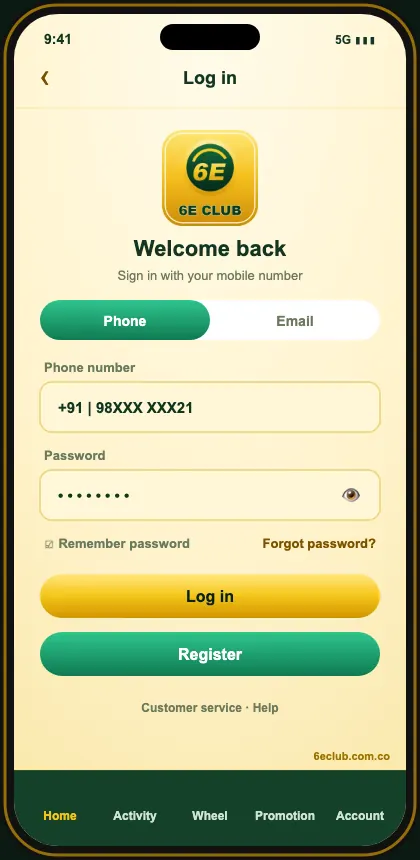
6E Club Login Step By Step
- Open the official 6E Club site or the installed app.
- Tap Log in at the top right.
- Stay on the Phone option.
- Key in the ten digits of your number — skip +91 and any leading 0.
- Enter your password — tap the eye to double-check it.
- Tap Log in and the lobby opens with your balance.
Just signed up? Before anything else, paste gift code SGERIU37U393RHJF37YYHIROI3KHJR into Account → Gifts and pick up the sign-up credit in Activity.
Forgot Your 6E Club Password?
- Choose Forgot password beneath the sign-in fields.
- Type the number your account was created with.
- Tap Send and type the SMS code.
- Pick a new password and confirm it.
- Sign in with the new password.
If the SIM is lost, request a duplicate SIM from your network first — it’s the quickest route. Failing that, in-app support can move the account to a new number once they’ve confirmed it’s you.
Logging In On PC, iPhone And Tablet
| Android app | Stays signed in after the first login |
|---|---|
| iPhone | Use the Safari home-screen web app |
| Laptop / PC | Chrome, Edge, Firefox or Safari — incognito if the computer isn’t yours |
| Tablet | Browser or APK, whichever you prefer |
Common 6E Club Login Errors
| Error | Usual cause | Fix |
|---|---|---|
| Account does not exist | Number typed with +91 or 0, or a copy site | Type 10 digits on the official site |
| Wrong password | Caps lock or old password | Reset with Forgot password |
| Too many attempts | Temporary lock | Wait 30 minutes, then reset |
| SMS code not received | DND, signal or wrong SIM | Wait for the timer, toggle airplane mode |
| Page keeps loading | Network or cache | Switch Wi-Fi/data, clear cache, disable VPN |
| Keeps signing you out | Someone used the account elsewhere | Reset the password immediately |
Watch Out For Copy Sites
Search results for “6E Club login” sometimes include imitation sites. They look almost identical but your account doesn’t exist there, so your password is always ‘wrong’ — and anything you type may be recorded. Install the app once from the official site, or bookmark it, and you’ll never need to search again.
Keep Your Account Secure
- Pick a password unique to 6E Club.
- Set a separate withdrawal password.
- Never read out an SMS code to anyone.
- Check login history in Account settings once a month.
- Log out on shared devices.
Signing In On A Shared Computer
Open an incognito window, decline the browser’s offer to remember the password, and sign out via Account when you’re done. On a borrowed machine, wipe the browsing history too.
Why Was I Logged Out?
| Second device used | Just one live session is allowed |
|---|---|
| Cookies wiped | Privacy settings can clear them on close |
| Fresh app version | Sometimes forces a new sign-in |
| Password reset | Ends every open session |
If none of these apply and it keeps happening, change your password straight away.
If Someone Else Got In
- Reset your login password.
- Change the withdrawal password.
- Look through recent logins and transactions.
- Make sure the payout account is still yours.
- Contact in-app support with screenshots.
Small Habits That Prevent Login Trouble
- Install the app once, then stop searching for the site.
- Keep your registered SIM active.
- Save your password in a password manager.
- Update the app when prompted.
Whether you search 6E Club, 6eclub or 6E Club game, you land on the same 6E Club platform — one 6E Club login, one 6E Club account and the same 6E Club rewards on web and app.
Frequently Asked Questions
What do I need to log in to 6E Club?
Your sign-up phone number and the password you chose — nothing more.
I forgot my password. What now?
Use Forgot password on the login screen, confirm the SMS code and choose a new password.
Can I log in on a computer?
Yes, open the official site in any desktop browser and sign in with the same details.
Why am I logged out on my phone?
6E Club allows one active session. Signing in on another device closes the first one.
Is it safe to save my password?
On your own locked phone, yes. On shared devices, no.